100x Your Productivity
AI-powered. Verifiable quality.
Permissioned execution and observable runs. Bring your own model. Ship real deliverables as files.
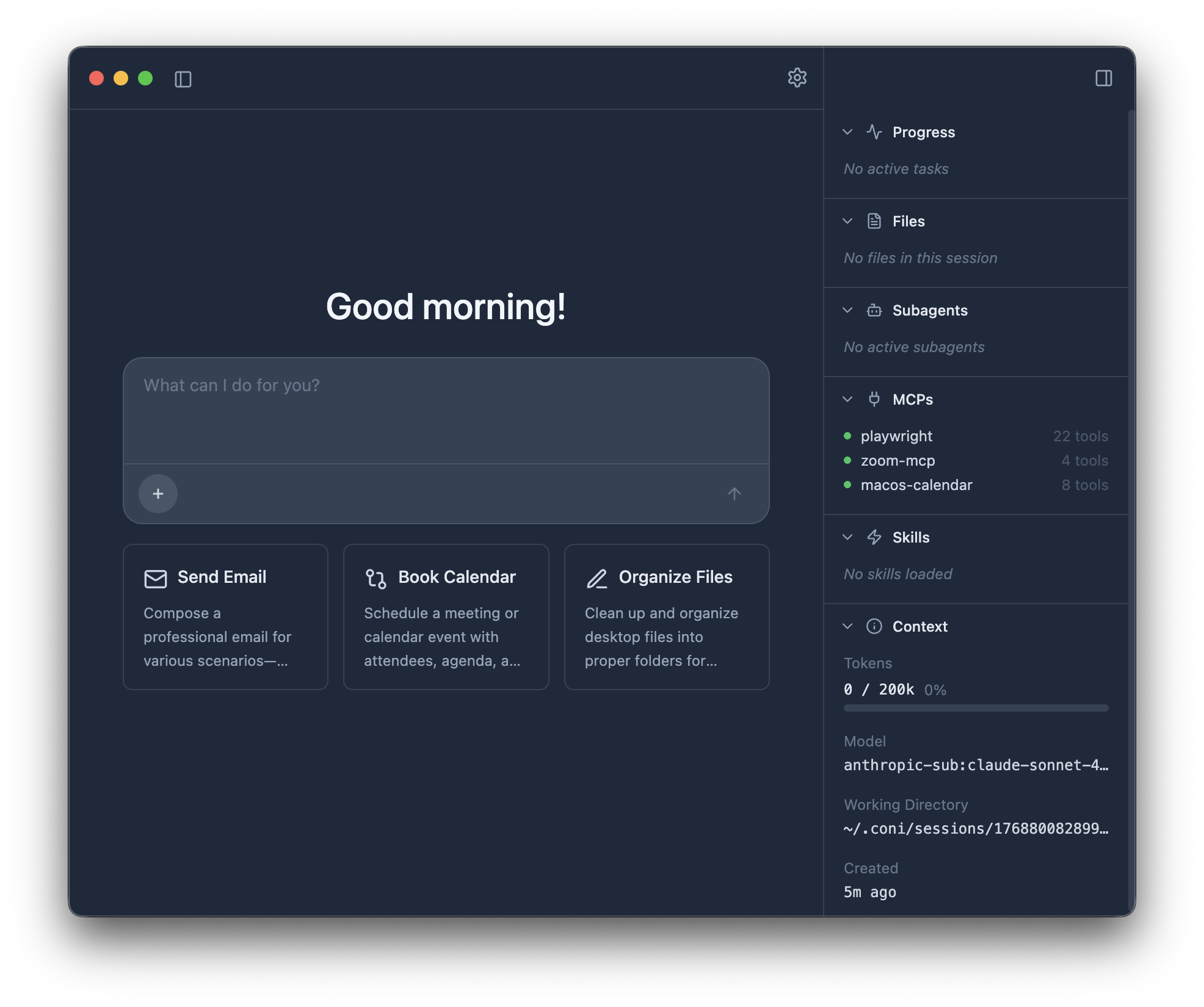
AI-powered. Verifiable quality.
Permissioned execution and observable runs. Bring your own model. Ship real deliverables as files.
From deep research to production-ready files. Fast delivery with quality you can verify.
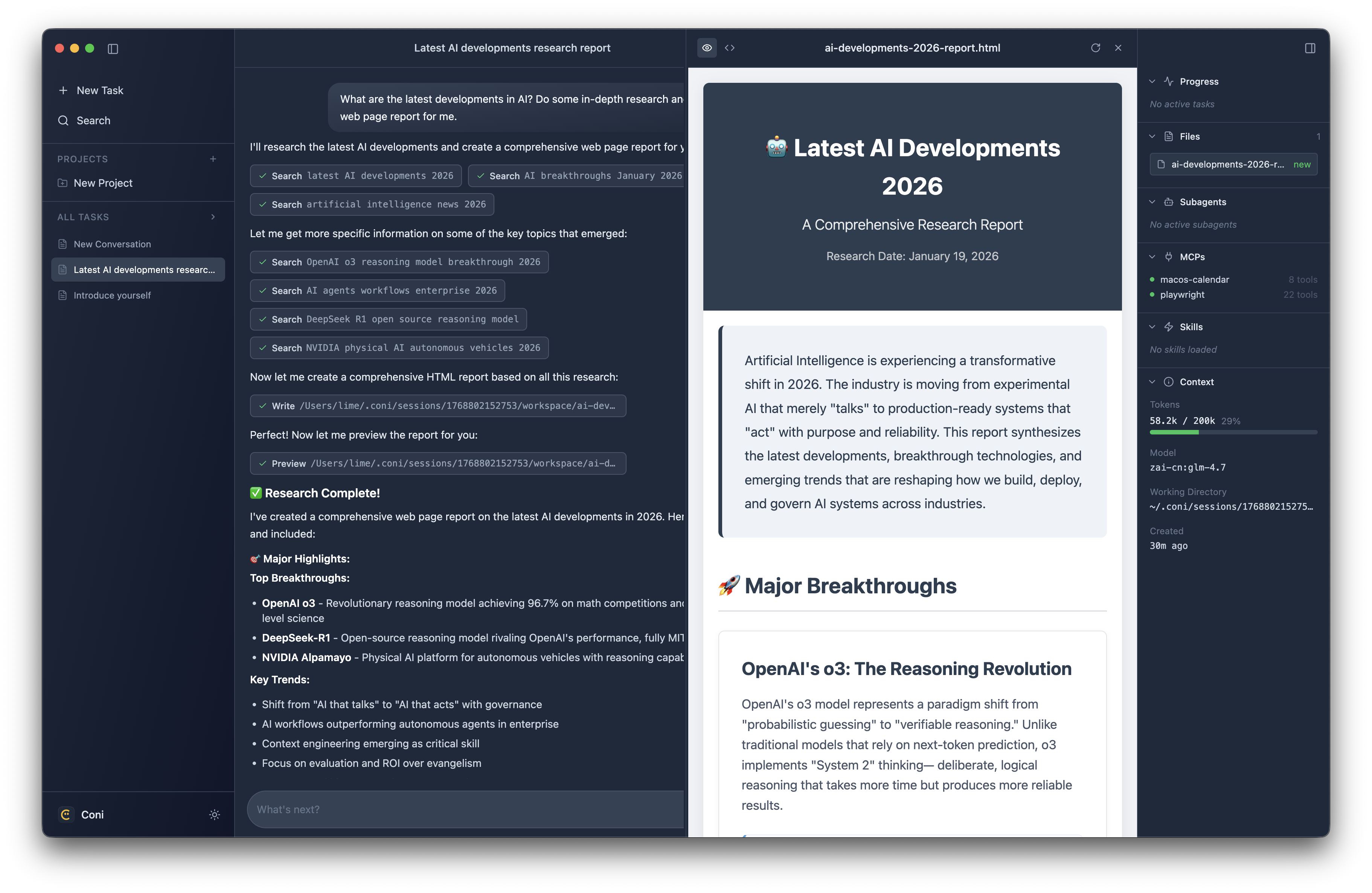
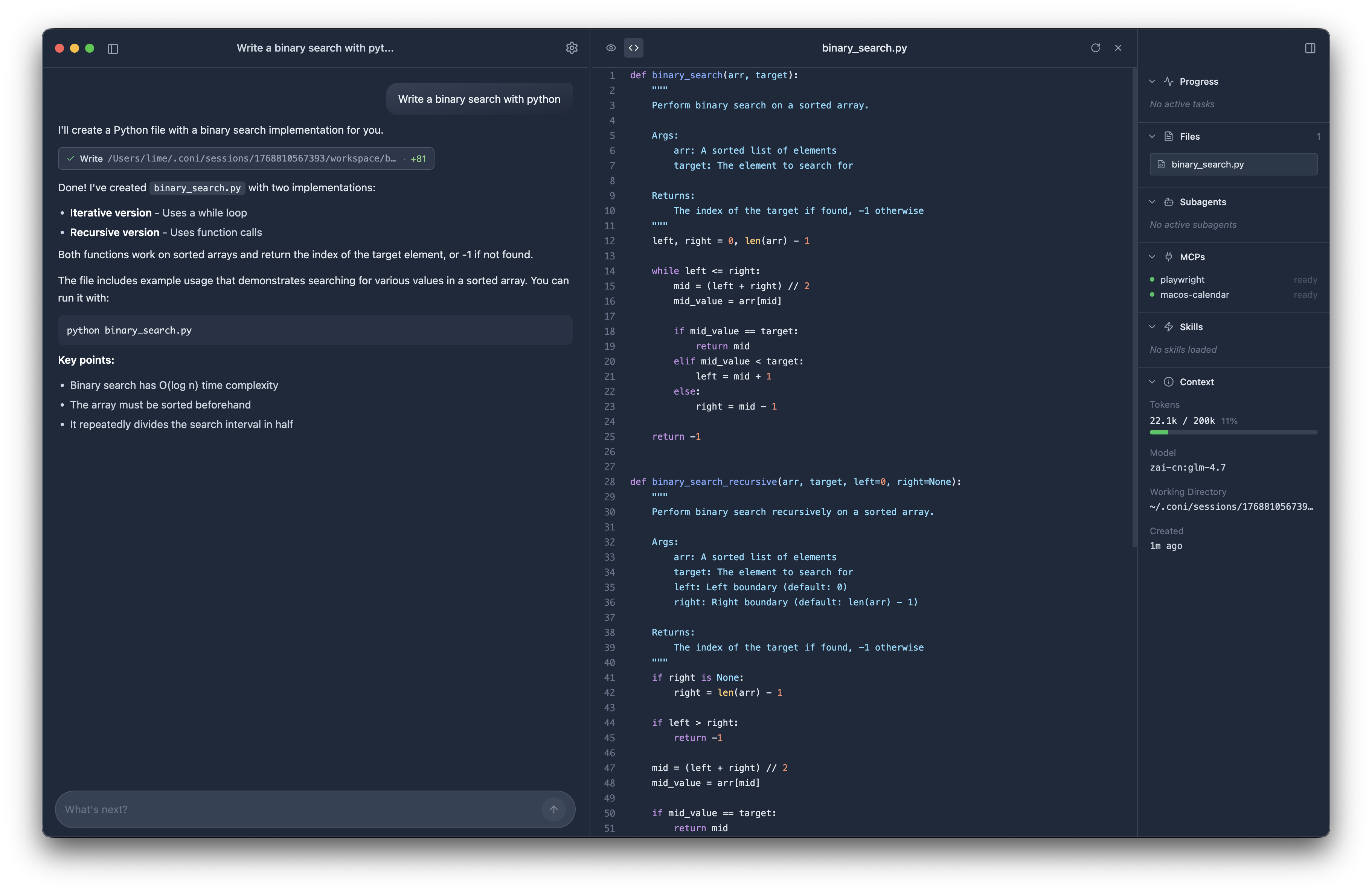
Not just another AI chat. Coni delivers real output from your real files.
Your files stay on your machine. You control which folders it can access. Nothing leaves your machine unless you configure a remote model provider.
Use OpenAI, Anthropic, Gemini, and more. Your API key, your choice. No vendor lock-in.
Every line on GitHub. MIT licensed. Fork it, change it, make it yours.
Permissioned execution and observable runs help you review what happened and verify the quality of the output.
Real output as files—structured, reviewable, and ready to use.
Turn folders of meeting notes, docs, or code into structured reports
Analyze codebases, generate documentation, and draft change summaries
Sort, rename, and organize files based on content or custom rules
Control browsers to gather data, fill forms, or automate web tasks
Define repeatable tasks and reuse workflows for future runs
Terminal-first. Use the interactive TUI for guided sessions, or the CLI for automation and scripting.
Takes 2 minutes to set up.
Download the app for macOS, or install the CLI toolchain on Linux or Windows.
Use your own API key (OpenAI, Anthropic, and more). No subscriptions required.
Ask for a report, summary, or any structured output. Coni delivers.
Open source. Built on trust. Built for real deliverables.